Getting started
The latest version of siegfried is v1.11.6 (released 2026-07-12).
You can install siegfried by:
- compiling it with the go toolchain
- downloading pre-compiled executables
- or, installing it via your package manager (Ubuntu/Debian, Homebrew, FreeBSD).
For help using siegfried, start here.
Install from source (with the go toolchain)
You need the go toolchain to compile siegfried. If you haven’t already got go installed, follow these instructions.
Make sure to complete the step that puts the go/bin folder into your PATH e.g. with:
echo 'export PATH="$PATH:$(go env GOPATH)/bin"' >> ~/.bashrc && source ~/.bashrc
Then install siegfried:
go install github.com/richardlehane/siegfried/cmd/sf@latest
And download the latest signatures:
sf -update
Install from pre-compiled executables
You can install siegfried from the pre-compiled executables on the releases page.
To install the executables:
- download the version for your platform (options are Windows x64, Linux x64 or Mac arm64)
- unzip the contents to a location in your system path.
The executables come in two build flavours, regular and static:
Regular builds
If you use the regular builds, you also need to download the latest signatures:
sf -update
Static builds
The static builds include the latest PRONOM signatures within the executable. This means you don’t need a separate signature file or siegfried home directory. This is useful for running on servers, or as part of a system, but limits your options for more sophisticated workflows like modifying your signatures.
Install via package manager
You can also install siegfried via package managers for these systems:
Ubuntu/Debian (64 bit)
curl -sL "http://keyserver.ubuntu.com/pks/lookup?op=get&search=0x20F802FE798E6857" | gpg --dearmor | sudo tee /usr/share/keyrings/siegfried-archive-keyring.gpg
echo "deb [signed-by=/usr/share/keyrings/siegfried-archive-keyring.gpg] https://www.itforarchivists.com/ buster main" | sudo tee -a /etc/apt/sources.list.d/siegfried.list
sudo apt-get update && sudo apt-get install siegfried
Mac Homebrew (or Homebrew on Linux)
brew install richardlehane/digipres/siegfried
(a fork of mistydemeo/digipres/siegfried)
FreeBSD
pkg install siegfried
Usage
Identify files and directories
sf file.ext // Identify a file
sf *.ext // Identify groups of files using a glob pattern
sf DIR // Identify all files in a directory and its subdirectories
sf -nr DIR // Identify all files in a directory but don't recurse into subdirectories
Save output
sf PATH > my_results.yaml // Use a redirect (">") to save your results. PATH means file.ext, *.ext or DIR
sf -csv PATH > my_results.csv // Get identification results in CSV format (default is YAML)
sf -json PATH > my_results.json // Get identification results in JSON format
Additional commands
sf -z PATH // Scan within zip, tar, gzip, warc or arc files
sf -hash sha1 PATH // Calculate md5, sha1, sha256, sha512, or crc hash
sf -multi 32 PATH // Scan many files at once
sf -setconf -multi 32 -hash md5 -csv // Save your preferred configuration
sf -setconf -csv -conf csv.conf // Save (or load) named configurations with -conf
User guide
Detailed information about installing siegfried, identifying file formats, as well as more advanced topics, is available on the wiki.
Modify your signature file
The roy tool builds siegfried signature files. For help using this tool, see this guide.
Code, Issues, Privacy
To view the source code, go to the project page on Github.
For a list of changes, see the CHANGELOG.
Please post any bugs or feature requests to the issues page.
No user data is received or stored by this site. “Try Siegfried” runs locally in your browser via siegfried’s WASM build.
Deprecations
Some of the old features of this page (benchmarks, chart your results, and the sets tool) have been removed to make the site easier to maintain.
Brave adventurers can find legacy outputs of these tools in the Attic.
Try Siegfried
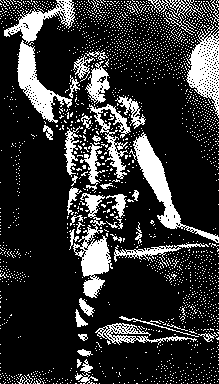
Drag a file on to Siegfried's anvil! Or...
Format:
Hash:
Scan in archives: